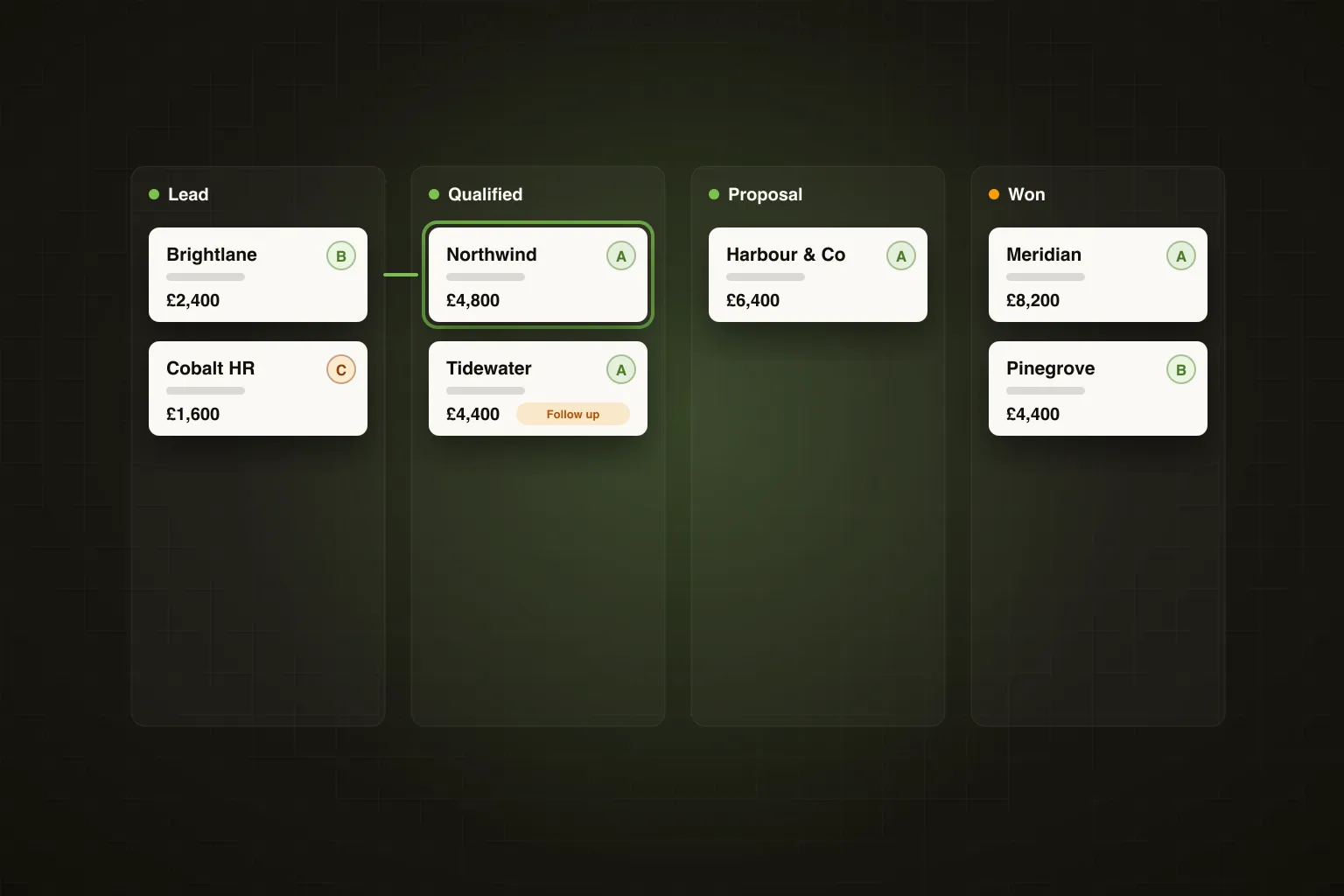
TL;DR: Ghost now includes Pipeline, a CRM built directly into your LinkedIn and email outbound. Replies become deals automatically, every message and email sits on the deal, Ghost reminds you when a deal goes quiet and drafts the follow-up, and the dashboard shows which campaign or signal produced each win. You can run all of it from Claude Code, ChatGPT or Grok through the Ghost MCP. It's included on every plan.
The gap every outbound tool leaves open
Outbound tools are good at getting replies. Then they stop. The reply lands in an inbox, the conversation carries on in LinkedIn DMs, and the deal itself ends up in a spreadsheet, a notes app, or a HubSpot account nobody has updated since the free trial.
That handoff is where warm leads go cold. Not because the prospect said no, but because the follow-up slipped while you were busy with everything else. The more outbound works, the worse this gets: more replies, more threads, more things to remember.
Ghost already sees every reply, every signal and every message. So we stopped handing off. Pipeline picks up exactly where outbound ends and carries the deal through to Won.
What Pipeline does
One board, from first reply to signed client
Every prospect, lead, opportunity and signed client sits on one board. The default stages are Prospect → Lead → Qualified → Opportunity → Proposal → Won / Lost, and you can rename, reorder, recolour or add stages to fit how you sell. Moving a deal to Won or Lost records the value, the reason and the close date, so your numbers mean something later.
Switch between Board, List, Tasks and Dashboard views depending on what you're doing: dragging deals, sorting the whole list, working through today's tasks, or reviewing the numbers.
A pipeline that fills itself
Most CRMs die because nobody updates them. Pipeline doesn't rely on you to:
- Campaign reply — someone replies to one of your campaigns and they're added as a Lead
- High intent — a high-intent conversation or hot-lead reply moves them to Qualified
- Email enquiry — enquiries found in your connected Gmail or Outlook inbox appear as suggested leads
- Manual — add a deal from the Pipeline page, or from any contact in one click
Automatic moves only ever go forwards. They never push a deal backwards and never reopen a Won or Lost deal, and each rule can be switched off in Settings.
Every touch on the deal record
Open a deal and you see the whole relationship on one timeline, newest first: LinkedIn messages sent and received, emails, connection invites and acceptances, profile views and post likes from your campaigns, your comments on their posts, and every note, task and stage change.
You can write a LinkedIn message or an email without leaving the deal. Sending a manual message pauses that contact's campaign sequence, so a personal note and an automated follow-up never go out together.
AI follow-ups that know the context
Hit Suggest follow-up and Ghost writes three drafts using the whole conversation, the deal stage, how long it's been since the last touch, and your voice settings. Each draft comes with a short reason it works now. Pick one, edit it, send it.
Founder's Take: The follow-up is the most valuable message in the whole sequence and the one founders are worst at sending. It's not a writing problem, it's a memory problem. Pipeline fixes the memory part and gives you a head start on the writing.
Nothing goes cold
Ghost creates tasks and reminders so warm deals don't drift. Tasks can be follow-ups, calls, messages, emails or meetings, linked to a deal, with Done and Snooze buttons. Reminders are created automatically when:
- An open deal has had no contact for 5 days
- A deal has been stuck in one stage for 14 days
- A deal's expected close date has passed
You can change the day counts in Pipeline settings, and every morning at 8am you get an email listing that day's due and overdue tasks.
Leads that don't come from LinkedIn
Not every lead arrives through a campaign. Turn on email lead capture and Ghost watches your connected inbox for genuine enquiries: website contact-form submissions, quote, pricing and proposal requests, referrals and introductions, and replies from people already in your contacts. Each enquiry appears as a suggested lead with a one-line summary, a suggested stage and any budget mentioned. Add it, dismiss it, or ignore that sender for good.
It's off by default, only reads mail that arrives after you switch it on (or the last 30 days if you choose to scan), and ignores newsletters, receipts, cold pitches and recruiters. Ignored emails keep only sender, subject and a snippet and are deleted after 7 days.
See which campaign closed the deal
The Pipeline dashboard shows open pipeline value and deal count by stage, won this month, win rate, average days to close, and revenue by source: which campaigns, signals and manual entries produced your won deals. That's the number that tells you where to put more effort next month.
Run it from Claude Code, ChatGPT or Grok
Pipeline is fully exposed through the Ghost MCP. Your AI assistant can list and update deals, move stages, add notes, create and complete tasks, read a contact's full history, draft follow-ups, send messages from a deal, work through suggested leads from your inbox, and pull the dashboard.
In practice that means you can ask things like:
- "Which open deals haven't been touched in 5 days? Draft a follow-up for each and show me before sending."
- "Move Northwind to Proposal at £4,800 and remind me on Friday."
- "What's my win rate this month, and which campaign closed the most?"
We've written a full guide with prompts for daily and weekly routines: how to manage your sales pipeline from Claude Code, ChatGPT or Grok.
How Pipeline fits the rest of Ghost
Pipeline closes the loop the rest of the platform starts. The ICP Agent sources new contacts from your saved ICP, Lead Score ranks them 0–100 so your best-fit prospects are messaged first, your LinkedIn and email sequences run, and every reply now lands on the board as a deal. Lead Score shows on every card, and you can filter the board by score band, source, or deals that need a follow-up.
Then revenue by source feeds back into what you do next: more of the campaigns and signals that actually close.
What about HubSpot, Pipedrive and GoHighLevel?
Native sync with HubSpot, Pipedrive and GoHighLevel is in development. Today, Pipeline works as a standalone CRM inside Ghost. For most LinkedIn-first founders and small teams that's exactly what's needed: the deals already originate in Ghost, so keeping them there means nothing gets lost in transfer. We've written more on when you do and don't need a separate CRM.
Frequently Asked Questions
Is Pipeline included in my plan?
Yes. Pipeline, including email lead capture, tasks and reminders, the dashboard and the CRM tools in the Ghost MCP, is included on every Ghost plan at no extra cost.
Where do I find it?
In the Ghost sidebar under Leads → Pipeline. Tasks has its own entry under Leads, with a badge showing how many are due.
Can I customise the stages?
Yes. Rename, reorder, recolour or add stages in Pipeline → Settings, where you can also adjust the automatic entry rules and reminder timings.
Will Ghost change my deals without asking?
Only forwards, and only by rules you control. Automatic moves never push a deal backwards or reopen a closed deal, and every rule can be switched off.
Pipeline is included on every Ghost plan. Start your 7-day free trial at growwithghost.io, or see how Pipeline works.